Choose how your opt-in forms handle optional features and stored data. OptinFlare provides privacy controls you can configure for your site and visitors.
Choose your privacy controls
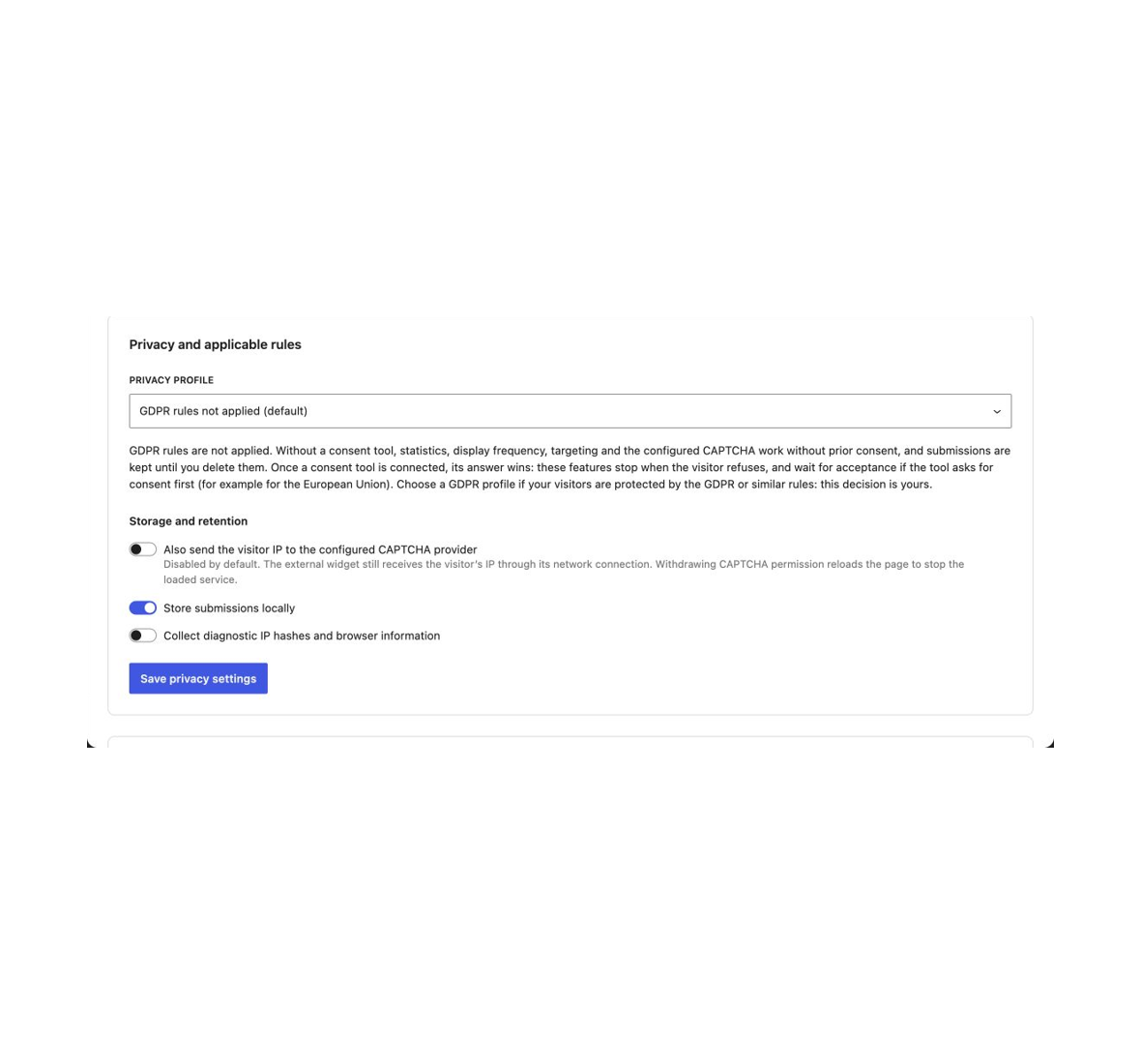
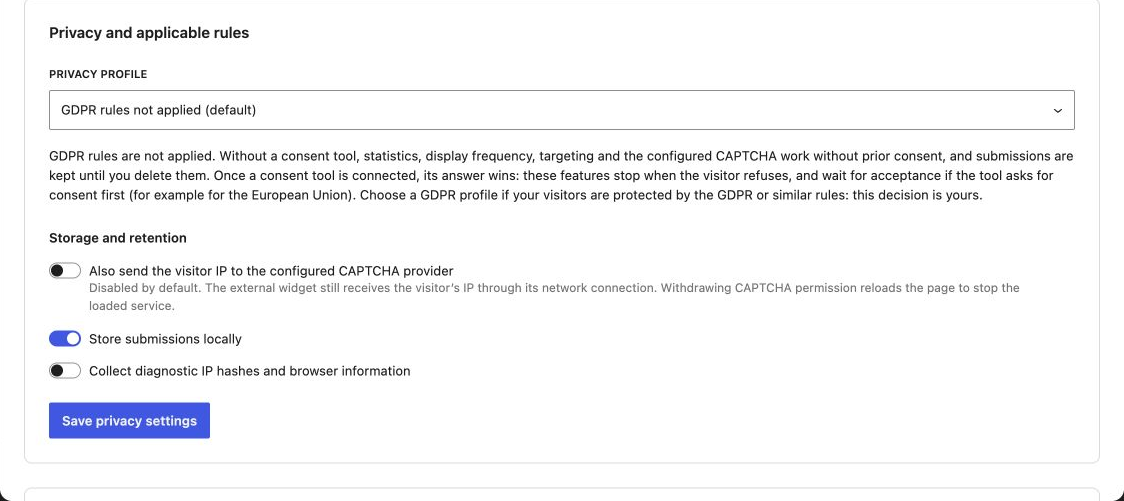
Privacy profiles are configured by the site owner. GDPR rules are not applied by default; enabling controls supports your process but does not certify legal compliance.
01
Choose an explicit privacy profile
Select whether GDPR rules apply to your setup. Review the profile and any documented exceptions against your requirements instead of relying on a visitor’s country alone.
02
Connect your consent manager
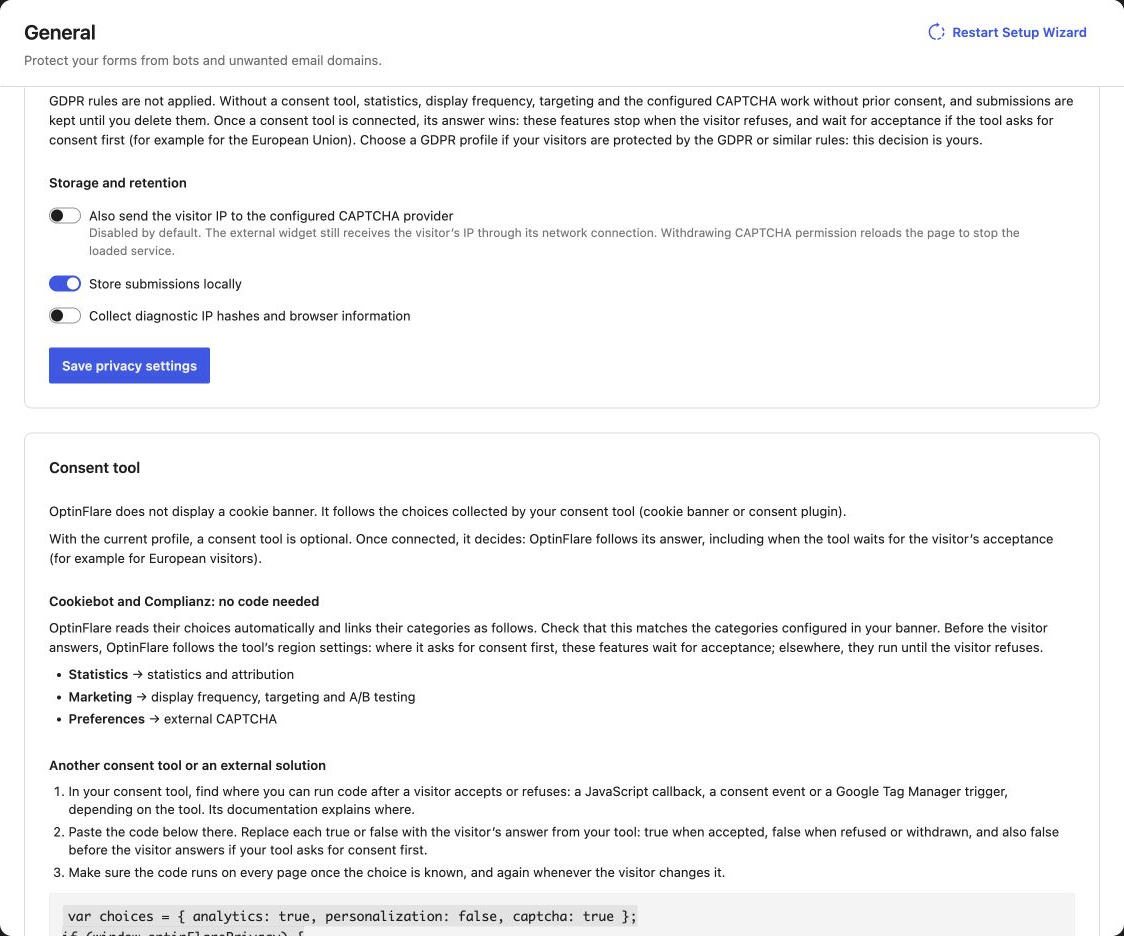
Cookiebot and Complianz choices are read automatically. Other consent tools can supply choices through the documented consent interface; OptinFlare does not provide a cookie banner.
03
Separate optional permissions
Analytics covers statistics and attribution, personalization covers frequency, targeting and A/B testing, and CAPTCHA covers the external challenge. Connected consent choices take precedence.
04
Control storage and retention
Choose whether submissions stay locally and whether diagnostic data is collected. Review retention before activating a GDPR profile: older entries can be removed immediately.
05
Handle personal-data requests
Use WordPress export and erasure tools and OptinFlare’s request controls. Restrict processing, correct stored names or cancel pending deliveries after verifying the person and request.
Take the full tour
Tap a screenshot to open the full-size image in a new tab and zoom in on the details.
Top 3 reasons you’ll love OptinFlare
Design
Build popups, fly-ins, bars and inline forms in the native block editor, with your theme styles and previews for desktop, tablet and mobile.
Target
Show a form after a delay, on scroll, on exit intent or on a click. With Pro, display rules by page, device, referrer and UTM parameter for popups, fly-ins, bars and fullscreen forms.
Convert
Send each sign-up to your newsletter plugin or email service. No email service yet? Sign-ups are stored in WordPress.
Put it to work on your site
Understand the default
Without a consent tool, the default profile allows optional features and keeps submissions until deletion. Once connected, a tool’s refusal or prior-consent requirement is respected.
Review the retention window
The default GDPR retention period is 90 days. Activation can immediately delete entries older than the chosen period, so review existing data first.
Separate local and external copies
Local erasure can cancel pending deliveries. Data already delivered to a newsletter service or another recipient must also be handled in that service.
Review external CAPTCHA
An external widget receives the visitor’s IP through its connection. The separate setting controls also including the IP in server-side CAPTCHA verification.




You have a question? We’ve got you covered.
Practical answers before you start.
No. It follows choices from Cookiebot, Complianz or a consent solution connected through its documented interface. You provide and configure the consent manager.
No. Although GDPR rules are not applied by default, connected consent choices take precedence. A refusal is respected, as is a tool that requires acceptance before optional features run.
Yes. Cleanup can run immediately when the profile is activated. Submissions older than the chosen retention period, 90 days by default, can be deleted.
No automatic certification is provided. The site owner must choose appropriate settings, configure their consent tool and policies, and address data held by external services.
Didn’t find your question?
Get ready with OptinFlare
Documentation
Step-by-step guides for every screen of OptinFlare, from your first form to the REST API.
Help & Support
Questions about your license or a form that won’t show? Find answers or contact us.
Changelog
Every version of OptinFlare, with what it adds and what it fixes.